
BOMBANANA colorblind modes
Two official filters for players with color-vision deficiency. They do not give Blind Monkey colors or screens.
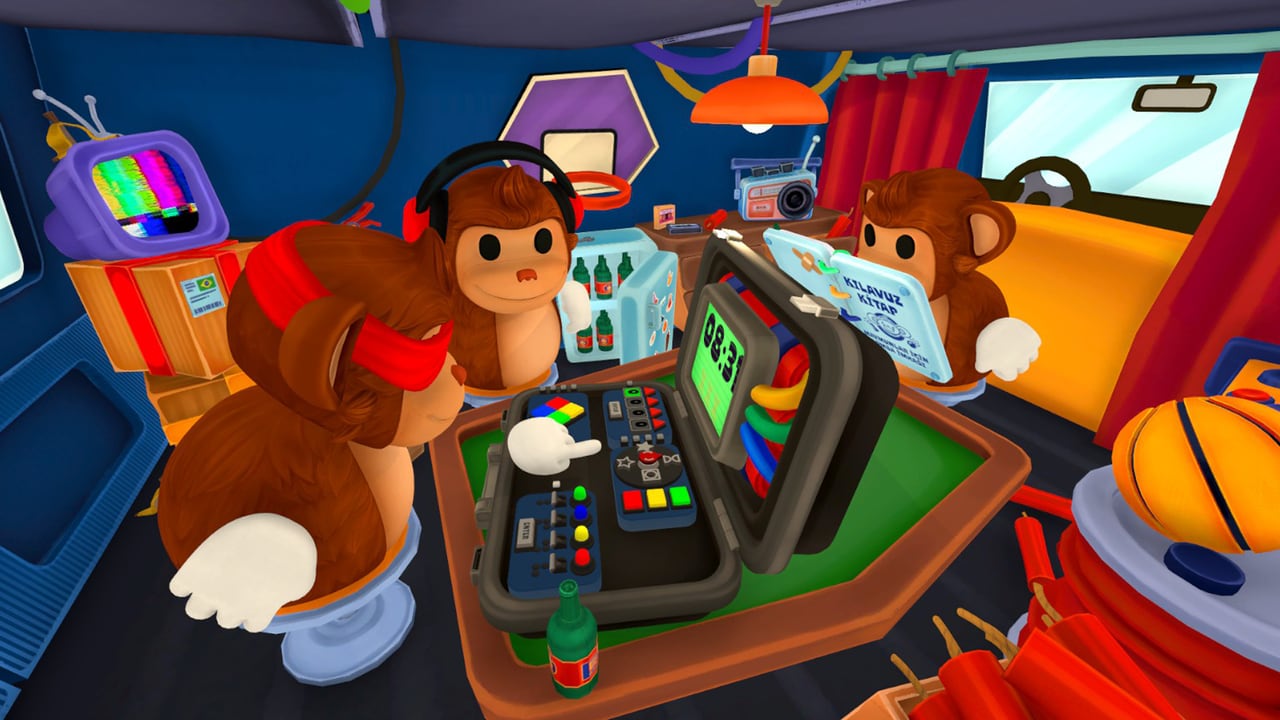
BOMBANANA! ships two official colorblind modes. Lefto Studio’s content reveal is the sentence this wiki will not rewrite: colors used across objects and UI were adapted to support two different types of color blindness. Steam’s own joke on the listing is the other sentence worth keeping: “Just because the monkey is blind, doesn’t mean he can’t defuse a bomb.”
Read that joke in the right direction. The modes exist so a player with color-vision deficiency can still sit Deaf Monkey or Mute Monkey and do the job. They are not a mechanical override for Blind Monkey. Blind still cannot see colors or screens. Turning on a colorblind filter does not paint LEDs back in for the operator. If you came here hoping to “fix Blind,” you want the players hub and the communication guide, not a palette slider.
The setting shipped with the full Steam game on 2 September 2026 (app 4656000, Lefto Studio, published by TARK). Price is $7.99, with an introductory $4.95 through 9 September 2026. The session is still exactly three online players on Windows and macOS. Steam Deck remains Unknown. None of those facts change when you retint a wire.
What Steam actually says — and what it does not name
Public copy tells you there are two types and that object colors and UI colors change. Steam does not name those two types in the store text or the content reveal this wiki can cite. This page will not invent deuteranopia or protanopia labels as if Lefto printed them on the options screen in a public screenshot. Open Options on your client. Read the two entries as they appear in your language pack. Pick the one that makes wire greens, reds, and LED hues separable for your eyes. If neither helps, say so in the lobby before the timer, and reseat that player off Deaf.
Do not argue from a YouTube overlay that renamed the modes. If a later Steam news post names the two types, patch notes should catch it. Until then, “two types, objects and UI” is the honest description. The updates hub is where a named third mode would belong if Lefto ever ships one.
Who needs this, and who does not
Deaf Monkey is the usual customer. Deaf is the mouth that has to call wire colors, LEDs, and switch lights. Those hues still matter after you enable a mode. The filter does not delete color as a rule. It retints the world so the same callout sheet still works. If red and green collapse together on your monitor, you will invent a wire list Mute cannot look up. The Deaf Monkey page is the role version of that bottleneck.
Mute Monkey can benefit when the manual page, UI highlights, or world objects use the same palette. Mute still cannot speak; they still encode from the book. A readable UI is not a license to skip the callout sheet. If a highlighted row and a dead row look identical after compression on a cheap laptop, try the other official mode before you blame Mute for a slow page.
Blind Monkey does not get vision from this setting. Steam is explicit: Blind cannot see the bomb’s colors or read screens. Colorblind modes are for the sighted seats and for anyone watching a stream of the casing. Blind still reports braille and waits for a spoken packet. CHAOS modules still occupy Blind’s hands. None of that is an accessibility slider. Seat the operator from the Blind Monkey write-up, not from this Options menu.
Host the discussion in lobby setup before ready. Random role can drop a color-vision-deficient player onto Deaf with no warning. If that happens, pause, toggle the mode, confirm they can name a practice LED, then start. Do not discover the problem on a live wire row.
Enable it before the timer
Turn the mode on in Options while you are still in the van lobby, not after module one. Mid-bomb palette swaps are how Deaf’s “second from the left, blue” stops matching Mute’s page. The bomb does not pause for a graphics menu. Campaign, Endless, and Custom all inherit the same client setting; there is no per-bomb toggle this wiki can cite.
Practical order:
- Three clients in the room, roles announced. Exactly three. A missing monkey cannot defuse around a palette problem.
- Anyone who struggles with red/green/LED hues opens Options and tries both official modes for a few seconds in the lobby, where banana props and UI chrome are visible.
- Pick one. Say which one, out loud and in text, because Deaf will not hear a mumbled “the second filter” through the in-game channel they cannot use.
- Do a color check: name a UI element and a world object. If two people disagree on the name, you do not have a callout language yet.
- Then arm the bomb.
Controller and keyboard users use the same Options path; binds are on the controls guide. This is not a Steam Deck-only feature, and Deck remains Unknown on the store. Full controller support is in the launch list. Confirm the layout in Steam Input if a pad cannot open Options cleanly.
How it ties to modules and callouts
The modules guide still wants the same sentence: family, position, details, manual answer, repeat-back, confirm, input. Colorblind modes change how the details look, not which details you owe Mute. Keep one convention for the whole night. Rank nasty families on the module tier list after the palette is set, not before — a module that is “easy” when you can split red and green is a different module when you cannot.
Wires. Count first, then left-to-right colors, then LED. After a filter, agree the color names you will actually say. If a mode makes a cable look closer to yellow than green, say the name the trio just locked, not a new poetry. Cutting is permanent. Empty slots still count as gaps, not as a mystery fourth hue.
Direction. LED plus braille or center value. The LED is a sighted fact. Blind still cannot see it. Deaf must be able to name that light after the retint, then wait for Blind’s tactile report. Left and right remain Blind’s left and right.
Numpad. Equation, odd or even, LED. Same rule: the LED name has to survive the filter. The glyphs stay jumbled; colorblind modes do not un-jumble a pad.
Switches. Full light order, then every number, then Enter. Switch lights are easy to merge if two hues sit on the same panel. If you cannot tell light A from light B, you are not ready for that family. Drill it in Custom with a long timer after the palette is set, then return to Campaign. Enter is still a lock, not a guess.
Launch added fourteen new modules (eleven standard, three CHAOS). Lefto has not published a public encyclopedia of those palettes. Assume new families can also encode state in color. If a new module is a color puzzle, Deaf needs the mode before the first spawn, not after the first strike. CHAOS still exists to keep Blind busy; it is not a reason to skip the LED call.
Print or pin the callout sheet. Add one house line at the top: which colorblind mode is on, and which words you will use for the retinted red/green/LED set. Do not maintain two dictionaries. The sheet is a communication template, not the in-game manual Mute still has to read.
What the modes will not do
They will not let two people defuse. They will not let Blind read a screen. They will not make Deaf hear. They will not replace Mute’s manual. They will not fix a monitor with a broken color profile, a stream overlay that re-compresses reds, or a friend who insists “I can see it fine” while naming every cable blue.
They will not change price, player count, platforms, or Steam Deck status. They will not make the Steam demo a substitute for the paid Options menu — the June 2026 Next Fest slice taught the three-monkey joke without this pair as a documented launch feature. Do not expect a demo screenshot to show the same toggle.
If a later patch adds a third mode or names the two types, believe Steam news, then this wiki’s updates hub. Until that post exists, use the two official entries, enable them early, and keep calling colors as facts Mute can look up. Early full-game reviews sitting at Very Positive (a small sample, on the order of 78 reviews at 100 percent in the window this wiki recorded) do not mean every trio can skip this page. Reviewers who already split red from green are not your eyes.
Pair this page with puzzle modules, the callout sheet, controls, and the players hub. More tools live on the tools hub. If you still need a first bomb, start at getting started. Host with lobby setup so the filter is on before anyone queues.
Frequently Asked Questions
Quick answers for three-player bomb runs.
How many colorblind modes does BOMBANANA have?
Two official modes that adapt object colors and UI colors. Open Options and try both. Steam's public copy does not name the two types beyond that.
Do colorblind modes let Blind Monkey see colors?
No. They help players with color-vision deficiency. Blind Monkey still cannot see colors or screens. Read Blind Monkey for the mechanical limit.
Does Steam name the two types as deuteranopia and protanopia?
Not in the public store copy or content reveal this wiki can cite. Do not treat those medical labels as official option names unless Lefto prints them. Check the live Options list.
When should we turn a mode on?
In the lobby, before the timer. Mid-bomb palette swaps break wire and LED names Mute already looked up. Walk through it in lobby setup and controls.
Do wire colors and LEDs still matter after a filter?
Yes. Deaf still has to call colors, LEDs, and switch lights. The mode retints them so those callouts stay possible. Keep the sentence on the callout sheet and the modules guide.
Who should use colorblind modes?
Any sighted player who cannot split the bomb palette — usually Deaf, sometimes Mute. Not as a substitute for Blind's role. Seat the trio from the players hub.