
BOMBANANA Callouts, specs, and lobby setup
Three practical pages: what to say, what your PCs need, and how to get Blind, Deaf, and Mute into one room.
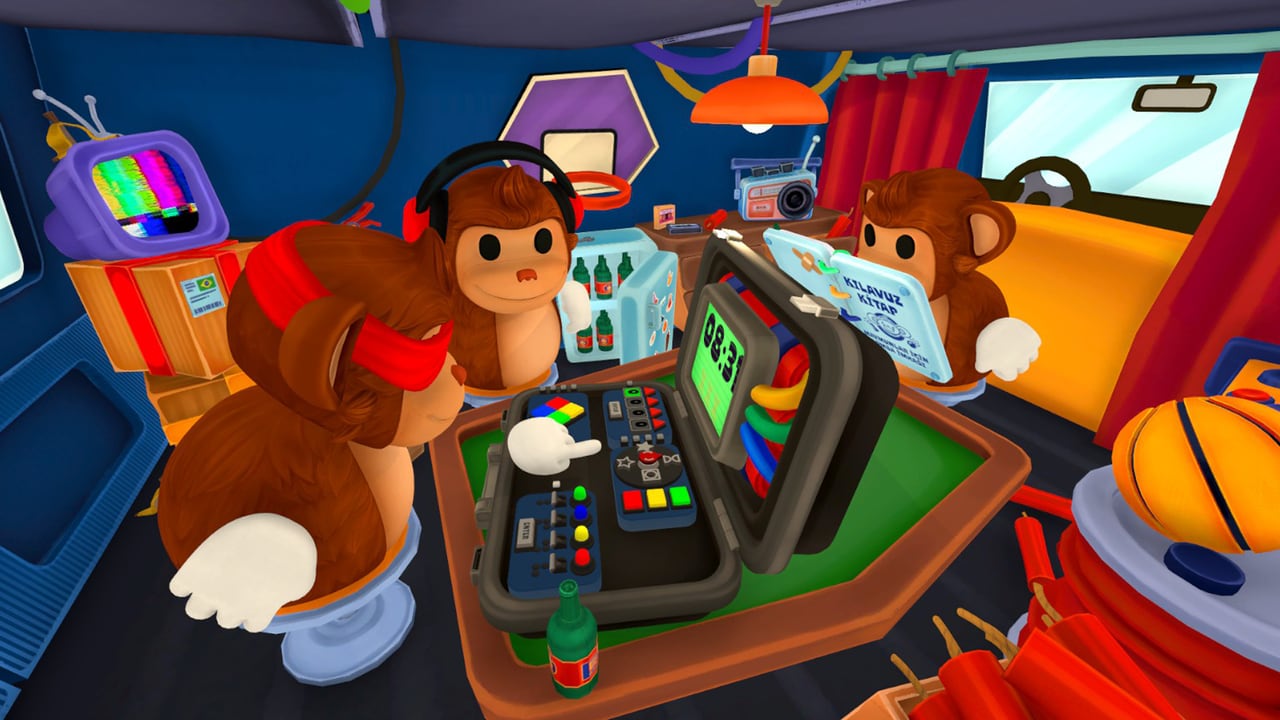
BOMBANANA! punishes sloppy setup more than it punishes slow hands. The bomb is a Unity puzzle. The session is three Steam clients, three microphones with uneven access, and a shared vocabulary that has to survive Mute’s silence and Deaf’s missing audio. This hub holds the pages you should keep open beside the game: a callout sheet, system requirements, lobby setup, and colorblind modes. They are not walkthroughs. They are the checklist you run before Campaign level one.
If you want strategy, leave this hub. Module families live in the modules guide. Role jobs live in the players hub. First-hour teaching lives in getting started. This section exists so those guides are not clogged with RAM tables and room-code steps.
Callout sheet
Open the callout sheet when the trio still talks in fragments. The loop is always the same: module → position → details → manual answer → repeat-back → confirm → input. Wires need count, left-to-right colors, and LED. Direction needs LED plus braille or center value, using Blind Monkey’s left and right. Numpad needs the full equation, odd or even, LED, and a press on the glyph, not the pad position a phone keypad would suggest. Switches need the full light order and every number before Enter.
Mute Monkey also needs a tiny dictionary: yes, no, wait, repeat, and digits 0–9. Launch gave every role an emote wheel, which makes that dictionary legal for the whole van, not only the silent seat. Print the sheet or pin it on a second monitor. Do not improvise a second grammar mid-bomb.
System requirements
Open system requirements before you invite a friend on a 2015 laptop. The full Steam listing is modest but not empty: Windows 10/11 64-bit, 8 GB RAM minimum, 16 GB recommended, Intel HD 520 / Vega 3 on the floor, Iris Xe / GTX 1050 / RX 560 on the recommend line, 300 MB disk, broadband. macOS starts at 11.0, 4 GB RAM, 600 MB disk, M1 or 6th-gen Intel i3; recommended is macOS 12 with 8 GB and M1 Pro / M2 or 8th-gen i5.
Steam Deck is Unknown on the store even though launch news mentioned Deck support. Full controller support is in the launch feature list. Three players still need three supported machines — there is no “two PCs and a phone” configuration. Audio hardware matters because Deaf Monkey and Blind Monkey depend on who can actually hear the in-game channel.
Lobby setup
Open lobby setup when the Steam overlay is the real boss. You need exactly three players. Launch added a server browser and room codes, so you no longer have to be Steam friends first. Lock roles on purpose, or hit random role if the group is fighting over Blind. Then do a mic check, because in-game voice is role-restricted: Mute cannot speak in that channel, Deaf cannot hear it, Blind can talk and hear but cannot see the panel. Many trios keep Discord as a backup for Deaf, which is a house rule, not a studio requirement.
A clean lobby is: same build (see patch notes), three ready clients, roles announced, stop phrase agreed, callout sheet visible, then start. Public browser rooms are for people who already survived Campaign onboarding. First bombs belong in a private code.
How to use the three tools in one night
- Confirm all three PCs against system requirements. Mixed OS is fine (Windows + macOS). Mixed “I think I meet minimum” is how one client stutters while Blind is mid-cut.
- Host with lobby setup. Share the room code in whatever chat Deaf can actually read. Lock Blind, Mute, and Deaf before the timer.
- Put the callout sheet in front of Mute and Deaf. Blind only needs the gesture meanings and the repeat-back habit.
- Play one teaching bomb from getting started, using controls if someone rebound interact by accident after the art overhaul.
- Only then climb Campaign or flip Custom knobs.
What these tools will not do
They will not solve a module for you. They will not replace the in-game manual Mute is holding. They will not host the third player. They will not tell you that a Steam Deck is Verified when the store still says Unknown. They will not change the fact that BOMBANANA! launched on 2 September 2026 as a paid three-player game — see the launch notes if you still think you are on a demo timetable.
Keep this hub next to the guides hub and the wiki hub. When Lefto Studio ships a real post-launch patch that changes lobby UI or voice routing, patch notes should flag it, and these three tools should be the pages that absorb the practical change.
Frequently Asked Questions
Quick answers for three-player bomb runs.
Which tool should a new trio open first?
System requirements if anyone is on a weak laptop, then lobby setup, then the callout sheet. Strategy still starts at getting started.
Is the callout sheet an official manual?
No. It is a communication template for this wiki. Mute Monkey still has to read the in-game manual. See the callout sheet.
Can two of us play if the third PC is too weak?
No. The game needs exactly three online players. Check system requirements and how to play with friends.
Do we still need Steam friends to group up?
Not necessarily. Launch added a server browser and room codes. Walk through them on lobby setup.
Where are official links and patch news?
Official channels are on the wiki hub. Dated changes are on the updates hub.